Does the Mazda CX-70 Support Wireless Apple CarPlay? Here’s Everything You Need to Know
1. Does the Mazda CX-70 S

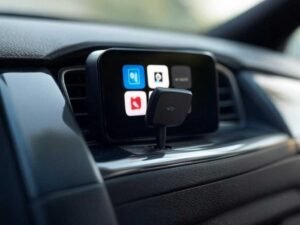
If you’re looking to upgrade your vehicle’s infotainment system with wireless CarPlay, a portable wireless CarPlay screen can be a fantastic solution. It offers the convenience of wireless connectivity while maintaining a high-quality display. But before diving into the installation process, let’s address some common questions and concerns many drivers have about installing a portable wireless CarPlay screen in their vehicles.
lnstalling a portable wireless CarPlay screen is straightforward. First, ensure your vehicle is compatible with CarPlay. Most modern vehicles with a USB port or HDMI input should work perfectly with a wireless CarPlay screen.
Here’s how to get started with the installation:
Step-by-Step Installation Guide
1.Check Your Vehicle’s Compatibility:
Most modern cars with USB or HDMI ports are compatible. Check your car’s manual or manufacturer’s website if unsure.
2.Power Connection:
Use the provided cable to connect the CarPlay screen to your car’s power outlet. This is usually a cigarette lighter or a 12V socket.
3.Pairing with Your iPhone:
Turn on the CarPlay screen. Follow the on-screen prompts to connect via Bluetooth and Wi-Fi. Your iPhone should detect the device automatically for a seamless connection.
1. Does the Mazda CX-70 S

1. Introduction: Why Wire

1. Introduction: Why Wire
Introduction: Enhance You
The good news is that for most users, installing a portable wireless CarPlay screen is simple. You won’t have to worry about complicated wiring or system integration. The device typically operates via Bluetooth and Wi-Fi, so once it’s plugged in and powered up, connecting your phone is the next step.
Although it’s a simple process, it’s always best to follow the manufacturer’s installation guide for the best results. If you encounter any issues, tech support is usually available to assist you.
In most cases, you don’t need to make any major modifications to your vehicle. The portable wireless CarPlay screen is designed to work with the existing system in your car. If your vehicle has a USB port or HDMI input, the screen should work without needing any special adapters or modifications.
However, if your vehicle is older and doesn’t have the necessary inputs, you might need an adapter to connect the screen. Always check your vehicle’s specifications before purchasing a wireless CarPlay Adapter to ensure compatibility.
No, installing a portable wireless CarPlay screen will not affect your car’s original features. The device works independently of your vehicle’s native infotainment system and serves as an additional interface for wireless CarPlay. You can still use your car’s original functions, such as navigation, Bluetooth, or radio, alongside the CarPlay screen without any conflicts.
The wireless CarPlay screen adds functionality without replacing your car’s built-in systems.
While the installation of a portable wireless CarPlay screen is generally simple and can be done by most users, some may prefer to have a professional install it. If you’re unsure about your vehicle’s compatibility or the setup process, consulting an expert may provide peace of mind.
For those who enjoy DIY tasks, the process is quick and easy. The portable wireless CarPlay screens are designed for easy installation, allowing you to set it up in just a few minutes.
Installing a portable wireless CarPlay screen is an excellent way to enhance your driving experience with seamless connectivity and advanced features. Whether you’re upgrading an older vehicle or simply adding wireless CarPlay functionality, this solution provides a simple, effective way to enjoy all the benefits of CarPlay without the hassle of complicated installation or vehicle modifications.
If your vehicle is equipped with a factory-installed wired CarPlay system, then this product is compatible. This includes vehicles with both wired and wireless CarPlay connections. However, please note that this product is not compatible with vehicles that only have a wireless CarPlay connection.
>>See of all products
We have several products that may meet your needs, depending on your specific usage requirements.
1. For streaming video apps such as YouTube and Netflix, Our AI BOX support video and game playing in car , you can choose models of "CarPlay AI BOX" collection to meet your need:https://novacruze.com/products/ne-kof059b/
2. If your family uses both Android phones and iPhones, you may be interested in our CarPlay/Android Auto 2-in-1 Adapter. It can convert Wired Android Auto or CarPlay into Wireless:https://novacruze.com/products/carplay-adapter/
Please note that products with the same function may have different prices due to differences in chips and materials. If cost is a primary concern, you may want to consider the most cost-effective option. On the other hand, if you prioritize performance and appearance, you may want to consider a more expensive option.
No, it is not necessary to re-pair the adapter each time it is used. Once it has been properly set up, your phone will automatically connect to the adapter when your vehicle is started.
The adapter is equipped with both WiFi and Bluetooth hardware. It will connect to your phone via Bluetooth and send the WiFi credentials. Then the adapter will disconnect from the Bluetooth network and operate solely over WiFi.
Yes, this product is compatible with all iPhone models from the iPhone 6 (running iOS 10) to the iPhone 15 Pro Max.
Yes, it is possible to connect multiple phones to the adapter. The adapter will automatically connect to the last paired phone if it is present in the vehicle. If the last paired phone is not available, you can manually connect to the other phone.
1. Enable the Bluetooth and WiFi networks on your phone.
2. Make sure your phone is not connected to any other WiFi or Bluetooth networks and remove any hands-free connections from your phone and car system settings.
3. Plug the adapter into the CarPlay USB port.
4. Wait for the interface to appear on the screen.
5. On your phone, go to the list of Bluetooth devices and select the one with a name starting with AUTO-xx.
6. When prompted, select "Pair" on your phone.
7. Once connected, select "Use CarPlay" when the notification appears.
1. Connect your phone to the adapter and wait until CarPlay appears on the screen.
2. Open your web browser and enter the address 192.168.X.X.
3. If an update is available, click on it to begin the update process.
4. Wait until the update progress bar reaches 100%.
5. Once the update is complete and CarPlay reappears on the screen, the update process is finished.
The average connection time for the adapter will vary depending on your phone and car, but it typically takes between 5-15 seconds to establish a connection.
Generally, orders will be delivered within 10-15 business days. Please note that delivery time may vary depending on the shipping location and customer location. Factors such as season, weather and holidays may also affect delivery time.
Yes, upon successfully placing an order, you will receive a confirmation number. If you do not receive a confirmation number within 24 hours of placing your order, please contact us for assistance.
Sure. We have a 30-days return policy, which means you have 30 days after receiving your item to request a return.